







Comment verrouiller votre valise Briggs & Riley Les verrous approuvés
Travel Sentry permettent aux autorités de sécurité d’ouvrir, d’inspecter et de refermer votre bagage sans l’endommager. Apprenez à configurer les cadenas approuvés par la TSA sur votre valise en quelques étapes simples.
TSA Cable Lock
Step 1
Set dials to factory preset combination: 0-0-0, then open the lock by pressing down on the rubber button on the side of the lock. The cable tip will be released.
Step 2
With a pen, push the button located on the bottom of the lock. Hold it down while setting all three dials to your desired personal combination. Be sure to write down your combination for reference once set.
Step 3
Release the bottom button and insert the cable tip into the hole.
Built-In-Locks
Step 1
To unlock the zippers, make sure the combination reads "0-0-0", then push the TSA access slider in the direction of the arrow. Both zipper pulls will pop open.
Step 2
Using a pen, push the small pin down (located to the right of the combination dial).
Step 3
Turn the combination dials to the numbers of your choice. Your personal combination is now set.
Step 1
To unlock the zippers, make sure the combination reads "0-0-0", then push the TSA access slider in the direction of the arrow. Both zipper pulls will pop open.
Step 2
Using a pen, push the small pin down (located to the right of the combination dial).
Step 3
Turn the combination dials to the numbers of your choice. Your personal combination is now set.
Step 1
To unlock the zippers, make sure the combination reads "0-0-0", then push the TSA access slider in the direction of the arrow. Both zipper pulls will pop open.
Step 2
Using a pen, push the small sliding button (located to the right of the combination dial) to the left until it clicks into place.
Step 3
Turn the combination dials to the numbers of your choice. Using a pen, push the small sliding button to the right. Your personal combination is now set.
Step 1
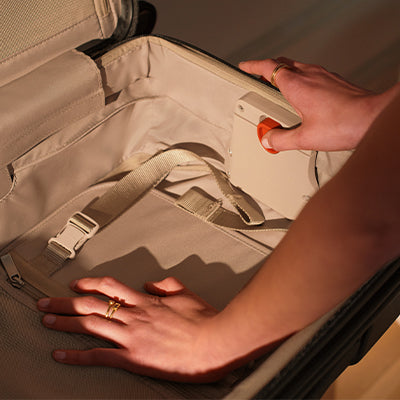
To set your lock, you will need to locate the lock access pocket inside your TORQ bag. Open the main zipper, the lock access pocket will be directly behind the lock on the inside of your bag.
Step 2
Remove the orange tab and push the toggle to the right and up.
Step 3
On the lock, turn the combination dials to the numbers of your choice. push the toggle in the lock access pocket back into the original place.